



Popular articles
- What Is Rivals of Aether? Game Type, Platforms, and Modes Explained
- Black Myth Wukong Guide – What To Expect From This Amazing New RPG
- Top 5 Gaming Thrones for a Luxurious Gaming Experience
- Is Sonic Triple Trouble 16-Bit Official? Who Is The Bad Guy in Sonic Triple Trouble?
- Among Us Original: Where and How To Play The Classic Game


Avatar: Frontiers of Pandora expands accessibility across all releases
Table of Content

Avatar: Frontiers of Pandora and its add-ons – the story packs The Sky Breaker and Secrets of the Spires, plus the From the Ashes expansion – are available now on PlayStation 5, Xbox Series X|S, Amazon Luna and PC via Ubisoft Connect. Massive Entertainment, a Ubisoft studio, detailed how the team built an extensive suite of accessibility options across the entire experience. Senior UX Designer Sandra Madsen explained that accessibility planning began early and was validated through frequent testing. The goal: let as many players as possible explore Pandora without unnecessary friction.
Design approach – early planning, iterative testing, two perspectives
The core campaign uses a first-person perspective to heighten immersion, which the team notes can introduce motion-sickness triggers. According to Madsen, the studio tackled this head-on through iteration and player feedback, then expanded those learnings when adding a third-person option. Players can also tweak camera behavior – for example, make menu camera transitions instantaneous and disable motion blur – and customize how the slow-motion mechanic introduced in From the Ashes behaves.
“We want as many people as possible to live out their personal Avatar fantasy without friction,” said Senior UX Designer Sandra Madsen.
Controls and gameplay tuning
Massive’s broad control options target different motor needs and playstyles. Many settings are contextual – for instance, during flight – to better match situational demands.
- Full remapping – Controller plus mouse-and-keyboard remap, including clicks, short/long holds and chords
- Control presets – Inversion options, right/left-handed swaps, and controls sensitivity
- Controller deadzone – Adjust for more/less sensitivity; vibration levels configurable by situation
- Hold-to-toggle – Convert specific hold actions into toggles
- Aim Assist – Granular sub-options for fine control
- Combat difficulty – Tweak incoming and outgoing damage in single player
- Navigation experience – Choose guided UI or a reduced-UI immersive mode
- Puzzles and harvesting – Autocomplete on interact or switch to alternative interaction methods
- Motion blur – Can be turned off
UI and language – readable, customizable, color-safe
Visual clarity and flexibility are addressed through subtitle and HUD options, scalable text and color configurations suitable for different types of color vision.
- Subtitles on by default – Adjustable size and backgrounds with previews before starting
- Speaker direction indicator – Shows where dialogue originates
- UI color customization – General colorblind presets plus individual color selections
- Customizable HUD – Hide or adjust elements for a more immersive view
- Camera Transition Intensity – Reduce animation time for faster transitions
- Scalable UI text – Larger text for key gameplay elements
Read also our article: Outbreak: Shades of Horror arrives on Xbox Series X|S – all key details
Audio options – clarity and comfort
Audio accessibility focuses on reducing discomfort and surfacing critical in-game sounds.
- Tinnitus effects – Can be turned off
- Menu narration – Supported on essential screens with adjustable volume and speed
- Audio modes – Night Mode mix and Focus Mix, the latter emphasizing gameplay-critical audio
Developer perspective – lowering barriers to Pandora
Madsen highlighted alternative approaches for the game’s more tactile interactions, citing features like harvesting and memory painting that can otherwise become motor barriers. She noted that integrating accessibility early – with support from Ubisoft’s dedicated accessibility team – informed the game’s core design principles.
“We offer a lot of customization to break barriers and decrease friction,” Madsen said, pointing to the cross-team commitment behind the feature set.
Why it matters – more ways to play, fewer barriers
For players across the base game, story packs and the latest expansion, the message is straightforward: more control over how you play. Whether you need remapping, reduced motion, clearer audio cues or streamlined interactions, these tools aim to make exploring Pandora more comfortable and consistent across all current releases.






Meet the Author



Article:
Read all


Solid Snake joins Rainbow Six Siege on March 3. Expect an intel-focused gadget, on-the-fly scavenging, a stealthy 4v4 event with Sam Fisher, and updates across maps and Operators.
 February 15, 2026
 85
85
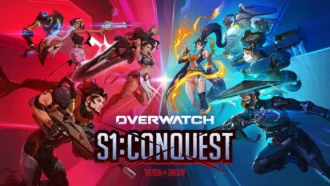
A year-long Overwatch narrative lands on Switch. Season 1 opens the Reign of Talon, adds 5 heroes, and introduces a 5-week faction event—setting the stage for updates through Season 6 in 2026.
February 14, 2026
82
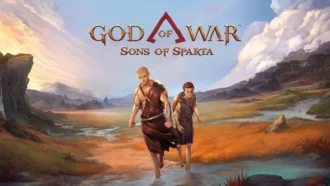
A new chapter in Kratos’ past arrives on PS5. Sons of Sparta shifts the series to 2D, exploring the Agoge with Deimos, classic Greek foes, skill trees, and Gifts of Olympus – all scored by Bear McCreary.
February 13, 2026
80
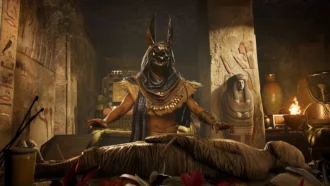
Assassin’s Creed Origins steps into the museum space as Ubisoft and the Musée de l’Homme unveil a nine-minute interactive walkthrough of ancient Egyptian embalming, part of the Mummies exhibition running November 2025 - May 2026.
February 13, 2026
77
Subscribe to “By-Gamers” on Telegram for gaming intel.
No filler, no fuss—just your daily XP boost. Hop in and level up, squad!


Read also
Solid Snake joins Rainbow Six Siege on March 3. Expect an intel-focused gadget, on-the-fly scavenging, a stealthy 4v4 event with Sam Fisher, and updates across maps and Operators.
February 15, 2026
85
A year-long Overwatch narrative lands on Switch. Season 1 opens the Reign of Talon, adds 5 heroes, and introduces a 5-week faction event—setting the stage for updates through Season 6 in 2026.
February 14, 2026
82
A new chapter in Kratos’ past arrives on PS5. Sons of Sparta shifts the series to 2D, exploring the Agoge with Deimos, classic Greek foes, skill trees, and Gifts of Olympus – all scored by Bear McCreary.
February 13, 2026
80
Assassin’s Creed Origins steps into the museum space as Ubisoft and the Musée de l’Homme unveil a nine-minute interactive walkthrough of ancient Egyptian embalming, part of the Mummies exhibition running November 2025 - May 2026.
February 13, 2026
77

High On Life 2 is out now, and its writers say the best gags start with the team cracking up first — then shaping bits so players help drive the punchlines. Here’s how Squanch approaches humor-by-design.
February 13, 2026
61

Rainbow Six Siege’s competitive year ends in Paris with a new twist: 1V1 NOW by Xbox Game Pass. Four regional standouts, 3.2k sign-ups behind them, clash Feb 14-15 for a share of $5,000 on the SI stage.
February 13, 2026
70
Fourteen Xbox titles arrive February 17-20 – from Star Trek: Voyager’s survival strategy to stealth in Styx and horror in Backrooms. Dates, platform notes, and core gameplay features inside.
February 13, 2026
63
Rayman’s 1995 debut returns in a multi-version package – with a first-ever playable SNES prototype, 120 bonus stages, a reimagined Christophe Héral soundtrack, and modern assists like a 60-second rewind.
February 13, 2026
62
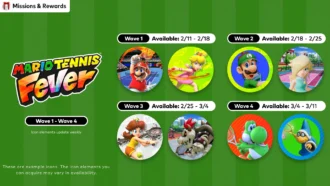
Mario Tennis Fever icon elements arrive on a ticking schedule—four waves across February-March 2026. Here are the exact PT dates, how to access them, and what the game brings to the court.
February 13, 2026
68
Nintendo serves up Mario Tennis Fever on Switch 2 with its biggest roster yet, 30 new Fever Rackets that twist rallies in wild ways, and a baby-themed Adventure Mode. Check the official trailer link inside.
February 13, 2026
67

Співпраця
Співпраця - текст
By-Gamers Newsletter!
Unlock special gaming deals, limited-time bundles, and more - sign up for By-gamers newsletter today!
