


Popular articles
- What Is Rivals of Aether? Game Type, Platforms, and Modes Explained
- Black Myth Wukong Guide – What To Expect From This Amazing New RPG
- Top 5 Gaming Thrones for a Luxurious Gaming Experience
- Is Sonic Triple Trouble 16-Bit Official? Who Is The Bad Guy in Sonic Triple Trouble?
- Among Us Original: Where and How To Play The Classic Game


Borderlands 4 on PC – official performance targets and GPU tuning
Table of Content

As Borderlands 4 lands on PC, the developers have published clarity on what players should expect across common resolutions and AMD Radeon GPUs. The guidance focuses on achievable frame-rate targets, recommended presets, and how FidelityFX Super Resolution (FSR) and Frame Generation are applied. It also reiterates a key technical note – changing graphics settings will trigger shader recompilation, so performance may stabilize only after some time. Below is a distilled, non-promotional breakdown of the official numbers and preset logic.
Baseline PC targets
The studio shared two headline targets that define the baseline experience and a recommended tier. These are not performance guarantees, but the configurations the team expects to be broadly attainable on suitable hardware.
- Minimum PC specs – 1080p @ 30 FPS with Low Preset settings
- Recommended PC specs – 1440p @ 60 FPS with Medium Preset settings
Any time you alter graphics options, shaders will recompile. The team advises continuing to play for at least 15 minutes to evaluate the new performance state. For issues, the official channel remains 2K Support.
Common preset behavior and toggles
Across the official matrices, several toggles are consistent. These defaults frame how the team balanced responsiveness and clarity before per-card fine-tuning.
- Display Mode: Full-screen
- VSync: Off
- Anti-Aliasing: Disabled
- Upscaling: FSR is used at different quality modes by resolution
- Frame Generation: On for most modern Radeon GPUs; not available on some older cards
1080p expected results
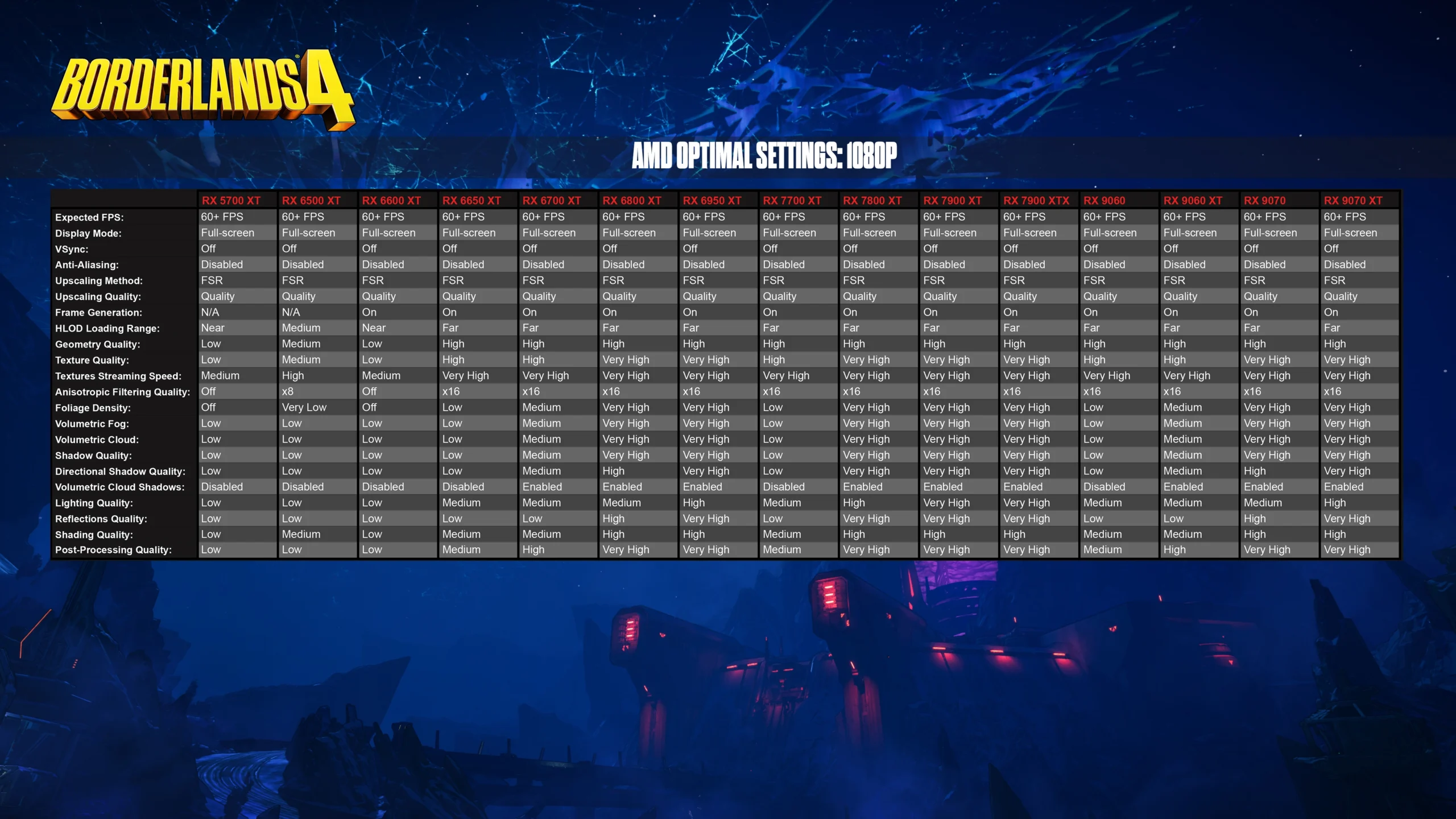
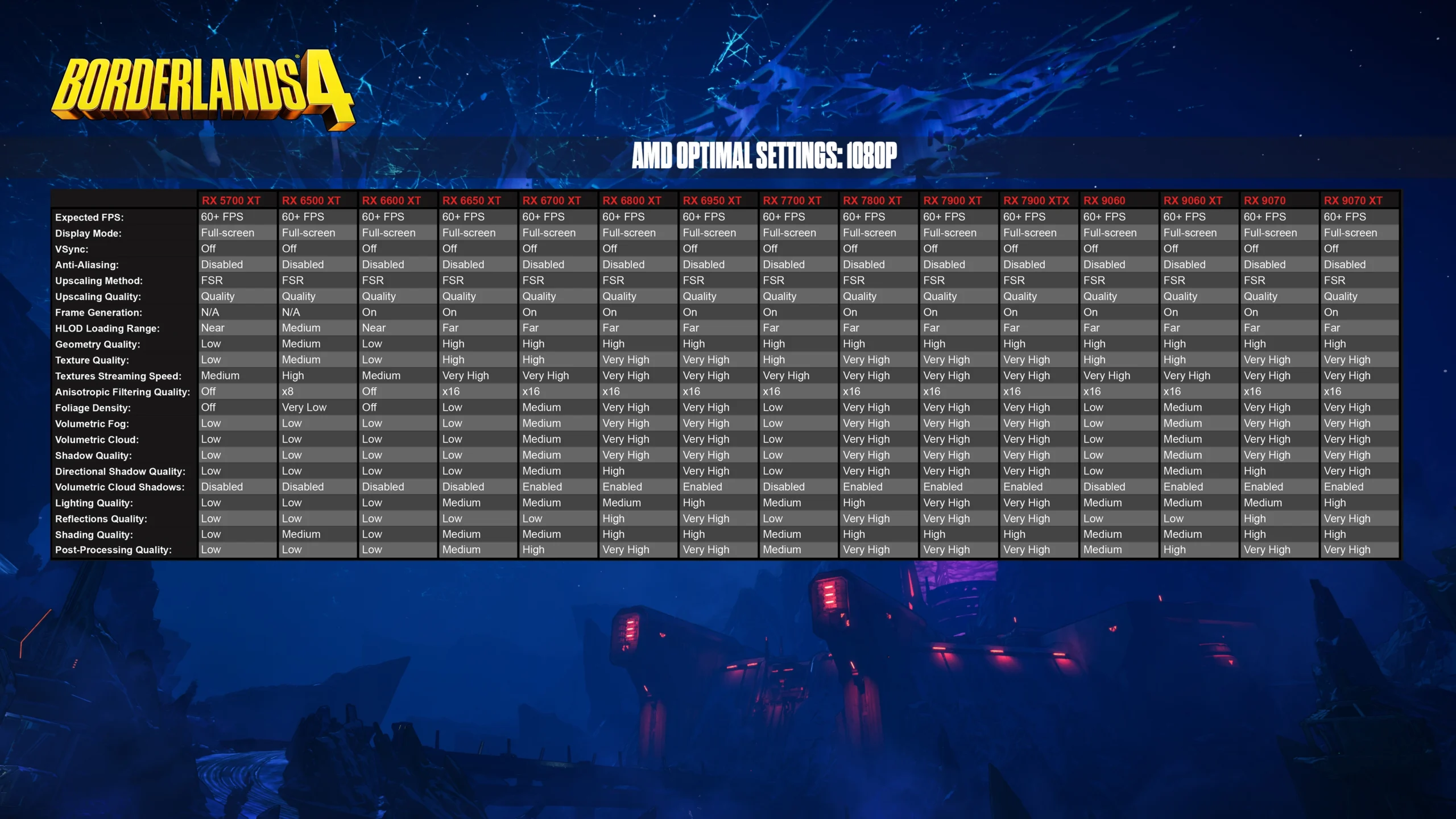
At 1080p, the guidance targets 60+ FPS on a wide range of Radeon GPUs, typically with FSR set to Quality. Frame Generation is On for most newer GPUs and N/A on select older models. HLOD distance varies by card.
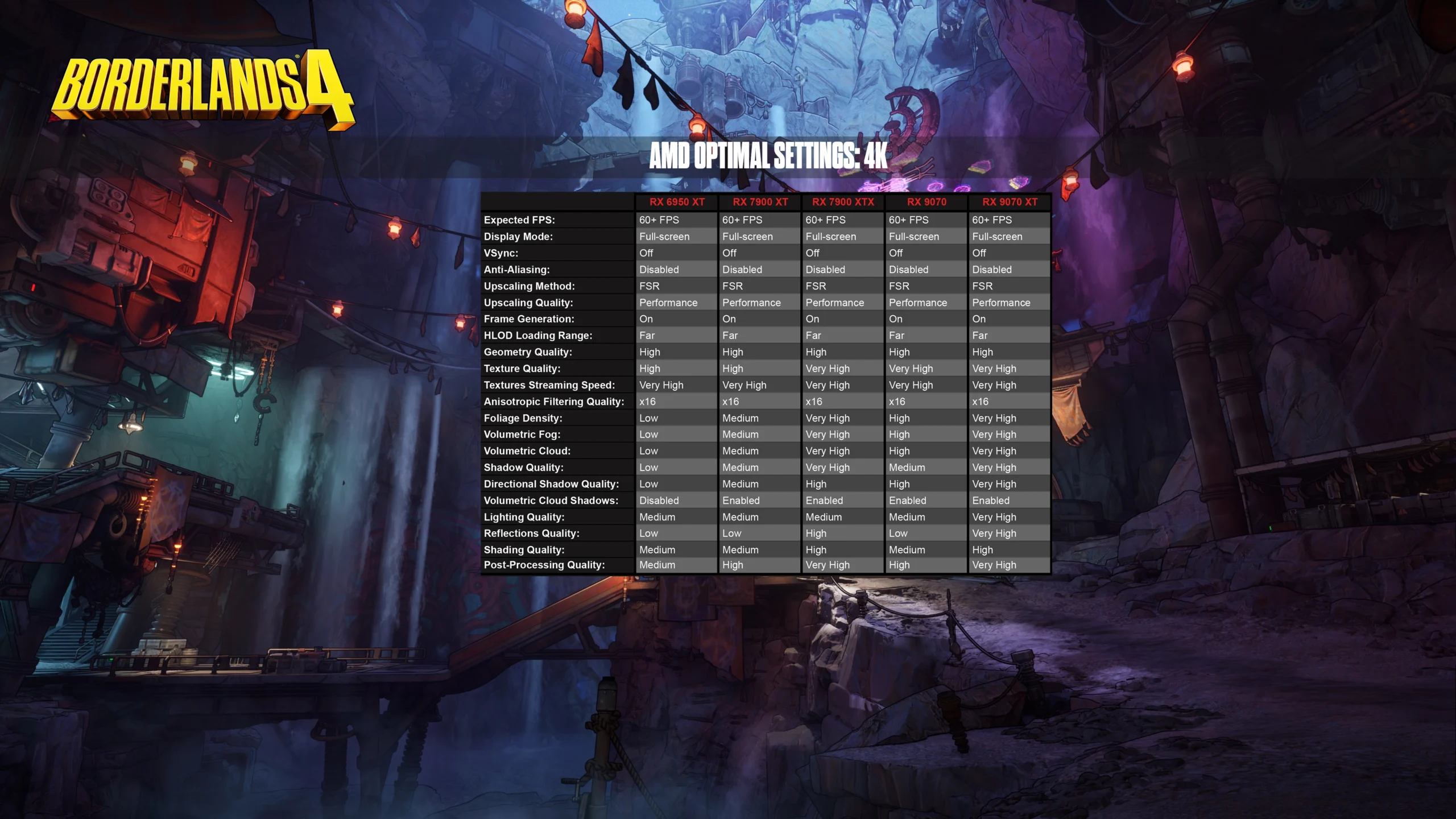
Table – 1080p Radeon presets (official targets)
While individual settings like texture, shadow and volumetrics vary from Low to Very High by card, the upscaling and frame-generation mix above underpins the 1080p targets.
Read also our article: Borderlands 4 players set huge launch‑weekend numbers on Kairos
1440p expected results
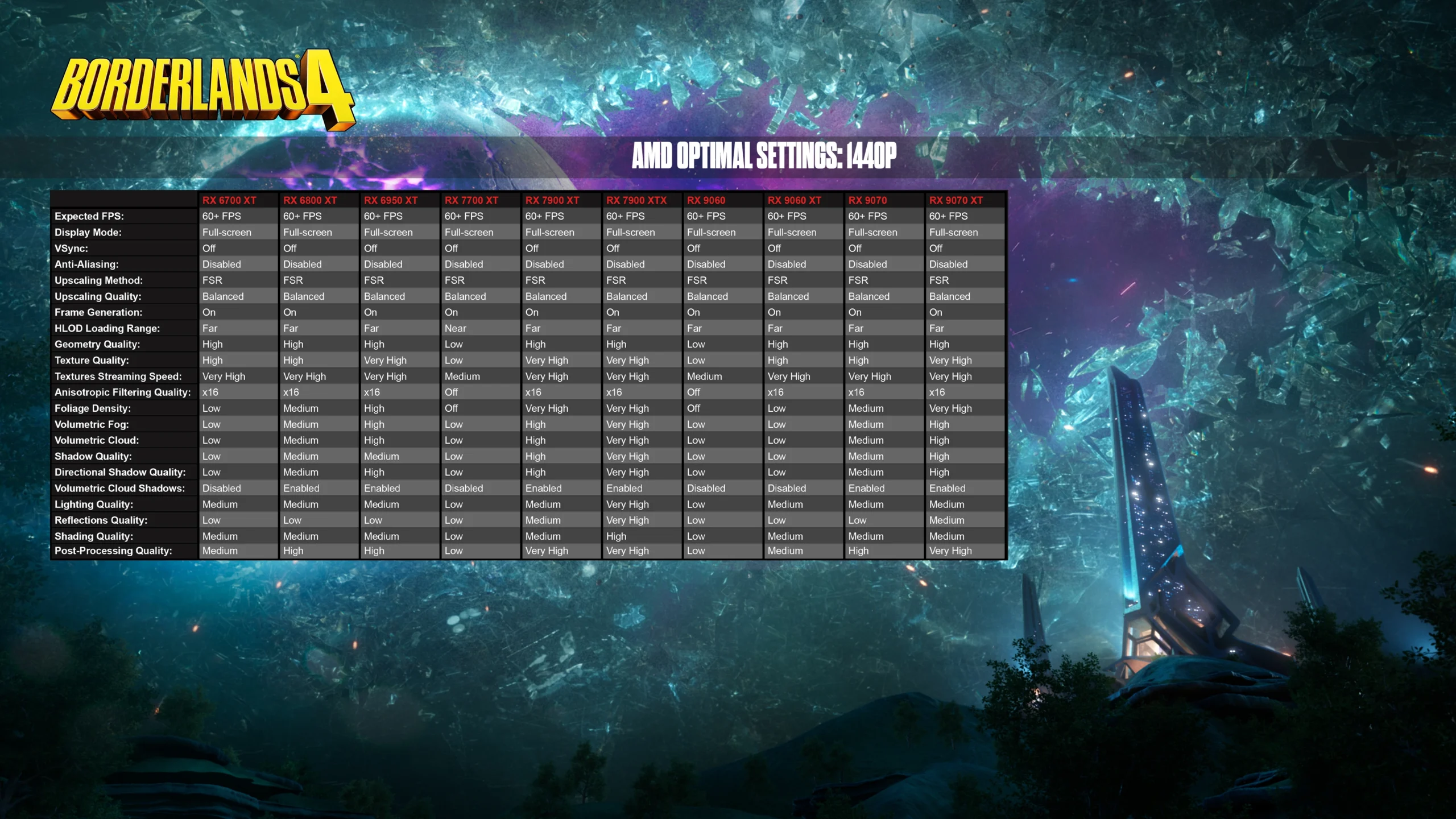
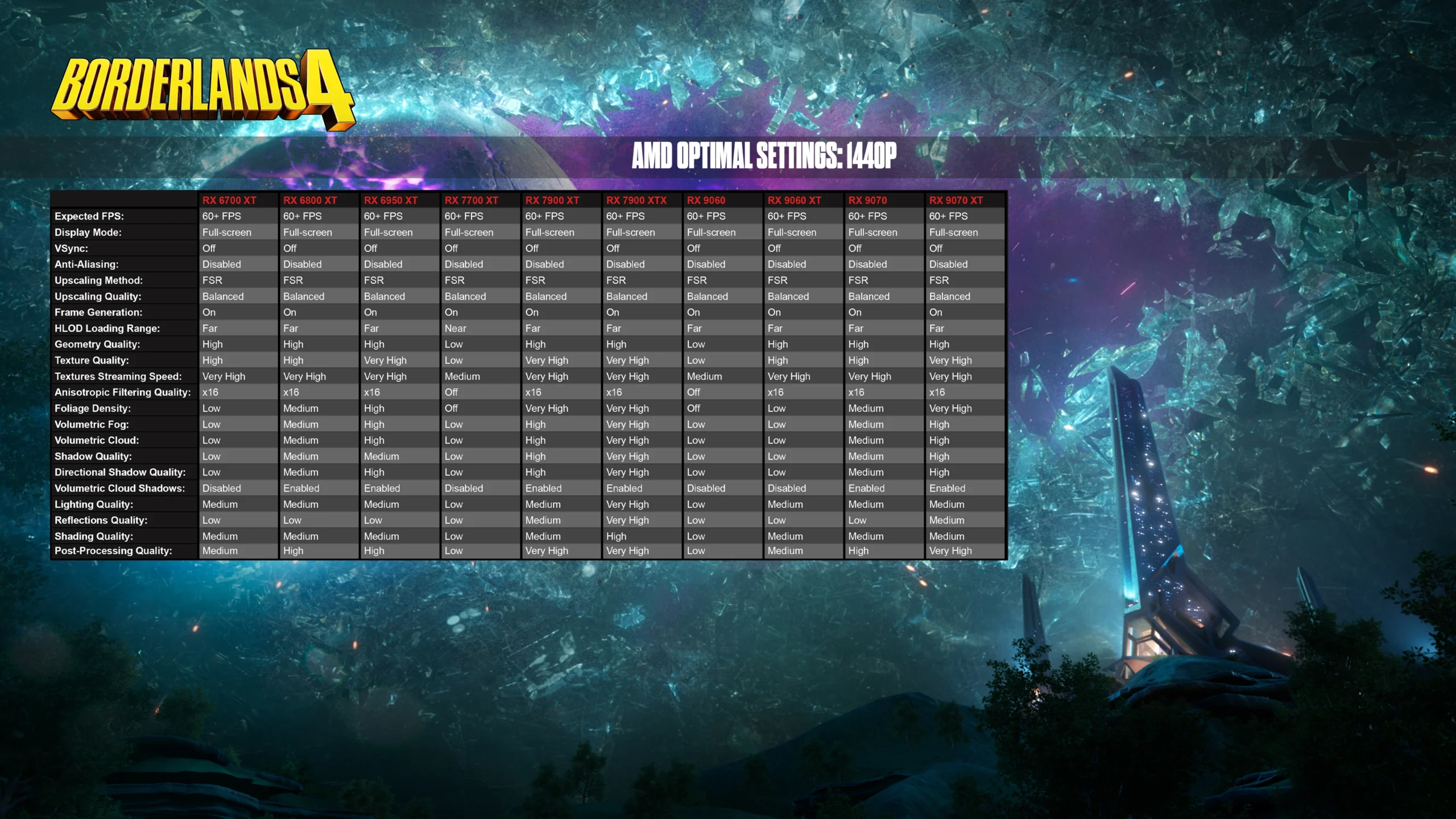
For 1440p, the studio targets 60+ FPS with FSR set to Balanced and Frame Generation On across supported GPUs. HLOD distances are tuned per model.
Table – 1440p Radeon presets (official targets)
Preset details rise from Low to Very High depending on the GPU, but the Balanced FSR profile and Frame Generation are the common threads to reach the 1440p target.
4K expected results
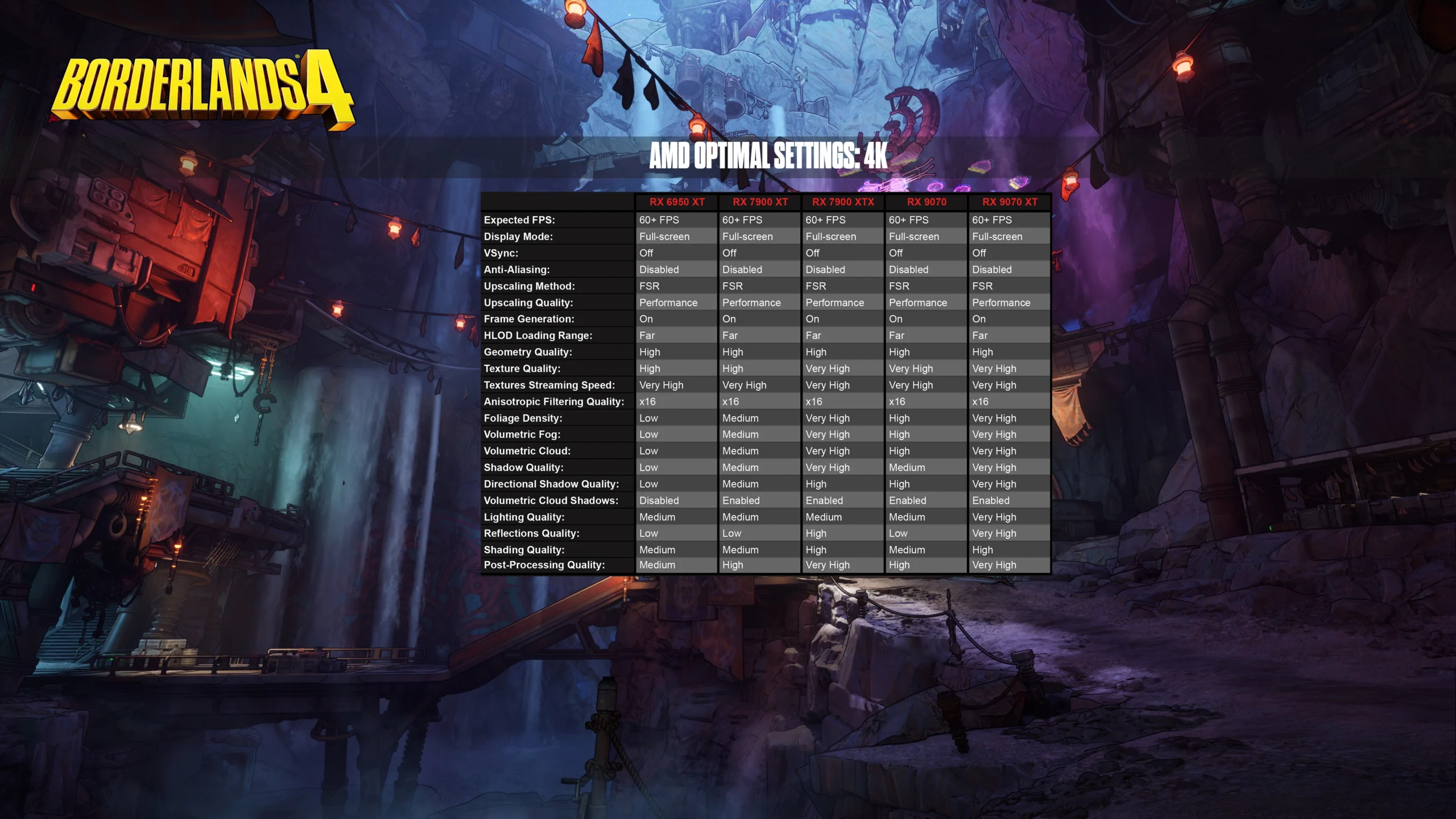
At 4K, the guidance continues to aim for 60+ FPS, switching FSR to Performance while keeping Frame Generation On. HLOD is set Far across the listed GPUs.
Table – 4K Radeon presets (official targets)
Per-setting granularity (textures, shadows, lighting, volumetrics, reflections) scales up on higher-end cards, but the FSR Performance profile is the constant at 4K.
Technical notes and troubleshooting
The team emphasizes that shader recompilation occurs after you tweak graphics settings. To get a reliable read on performance, keep playing for at least 15 minutes following changes. For persistent issues, the official support route is 2K Support. For a full rundown of Minimum and Recommended specs and adjustable graphics and accessibility options, consult the official “Borderlands 4 PC Specs & Features” overview.
Why this matters – a clearer path to stable performance
These targets translate the development team’s testing into practical starting points – FSR + Frame Generation do the heavy lifting across resolutions, while specific sliders are tuned per GPU. Use these matrices as a baseline, then iterate slowly, allowing shaders to finish recompiling before judging results. A few mindful adjustments can keep Borderlands 4 smooth and responsive on your setup.




Meet the Author



Article:
Read all

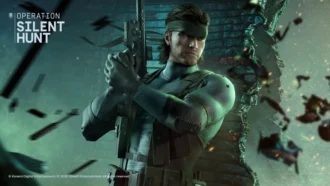
Solid Snake joins Rainbow Six Siege on March 3. Expect an intel-focused gadget, on-the-fly scavenging, a stealthy 4v4 event with Sam Fisher, and updates across maps and Operators.
 February 15, 2026
 86
86
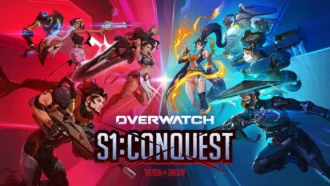
A year-long Overwatch narrative lands on Switch. Season 1 opens the Reign of Talon, adds 5 heroes, and introduces a 5-week faction event—setting the stage for updates through Season 6 in 2026.
February 14, 2026
83
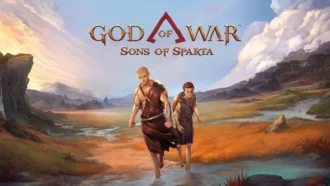
A new chapter in Kratos’ past arrives on PS5. Sons of Sparta shifts the series to 2D, exploring the Agoge with Deimos, classic Greek foes, skill trees, and Gifts of Olympus – all scored by Bear McCreary.
February 13, 2026
80
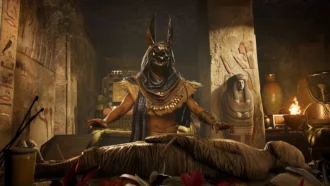
Assassin’s Creed Origins steps into the museum space as Ubisoft and the Musée de l’Homme unveil a nine-minute interactive walkthrough of ancient Egyptian embalming, part of the Mummies exhibition running November 2025 - May 2026.
February 13, 2026
77
Subscribe to “By-Gamers” on Telegram for gaming intel.
No filler, no fuss—just your daily XP boost. Hop in and level up, squad!


Read also
Remedy’s new video tours a warped Manhattan built around expansive zones, side activities and secrets. Gravity Anomalies bend physics as Dylan Faden hunts a powerful Resonant. Release planned in 2026 across major platforms.
February 13, 2026
67
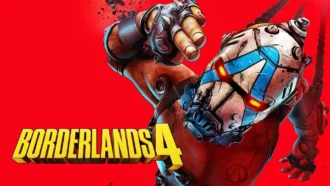
Four days, 500,000 revives, one universal skin. Borderlands 4’s co-op Community Challenge sets a clear goal for Feb 12-15, with a new Weekly Big Encore slate designed to test your survival skills.
February 13, 2026
69
Step inside Firaxis’ studio as the audio team and Grammy-winning composer Christopher Tin unpack how Civilization VII’s sweeping soundtrack—and main theme Live Gloriously—aims to reflect eras and cultures across history.
February 12, 2026
69
WWE 2K26 swaps traditional DLC packs for a seasonal Ringside Pass. Expect six drops through 2026, a free track for all players, and premium tiers with DLC Superstars. Season 1 begins March 6 – and earlier access to post-launch ...
February 11, 2026
80
WWE 2K26 locks its March rollout and brings back brutal stipulations, heavier combat physics, and granular AI tools – alongside a new commentary lineup and more interactive entrances.
February 11, 2026
67
CM Punk fronts WWE 2K26’s Showcase – a career-spanning mode mixing real matches, dream pairings, and alternate timelines – and a fresh Gauntlet that unlocks every Showcase reward if you can run the 20-opponent table.
February 11, 2026
61

Weekly ‘Mafia Mondays’ will reveal early‑1900s Sicily – from a tense villa infiltration to a three‑hour hands‑on – as 2K and Hangar 13 detail scope, tech, and the family around Enzo Favara.
February 11, 2026
64

Riot scales back the 2XKO team, citing lower-than-needed momentum beyond a core audience. Improvements are planned, 2026 esports stays intact, and affected staff receive at least 6 months of notice pay and severance.
February 9, 2026
72

After adding Photo Mode in November’s Free Ride Update, Mafia: The Old Country showcases fan-made shots—complete with insights from the art team on composition, lighting, and world-building.
February 7, 2026
87
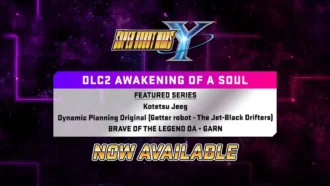
DLC Pack 2 lands in SUPER ROBOT WARS Y with five new units and dozens of missions, while a free update introduces Battle Rush 2, higher level caps, and deeper upgrades across pilots, mechs, and weapons.
February 7, 2026
92

Співпраця
Співпраця - текст
By-Gamers Newsletter!
Unlock special gaming deals, limited-time bundles, and more - sign up for By-gamers newsletter today!
